
Wheezy
9 posts · Show all posts
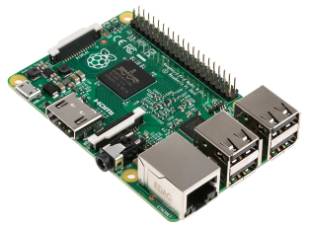
How about a Raspberry PI 2 as a firewall?
August 26, 2015 · claude
Unix
Raspberry PI
Wheezy
+1
A Raspberry PI 2 performs as expected exceptionally well as a firewall. The download throughput achieved was 33 Mbits/sec under the same test conditions as the previous test (see Can A Raspberry PI Be Used As A Firewall? for more details). The CPU...
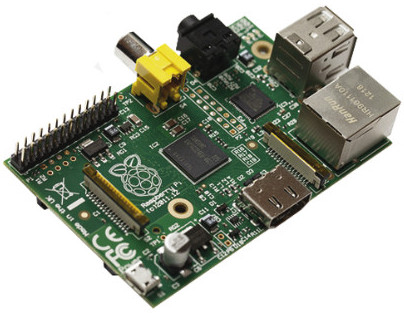
Can a Raspberry PI be used as a firewall?
August 25, 2015 · claude
Raspberry PI
Wheezy
Networking
Can a Raspberry PI be used as a firewall? This question comes back often. Well, I have tested it. The test conditions are:

Octoprint and Cura Disk Image for the Raspberry Pi (Version 2015-03-15)
March 16, 2015 · claude
Raspberry PI
Wheezy
3D Printing
+2
Cura integrated with Octoprint brings your 3D printer to the next level. You can download from HERE a fully functional image of Cura integrated with Octoprint. Simply copy this image to an SD-card of 4GB or more. Instruction to copy an image on an...
Octoprint and Cura Disk Image for the Raspberry Pi
January 5, 2015 · claude
Raspberry PI
Wheezy
3D Printing
+1
A newer version is available HERE Cura integrated with Octoprint brings your 3D printer to the next level. You can download from HERE a fully functional image of Cura integrated with Octoprint. Simply copy this image to an SD-card of 4GB or more....

Accessing a serial port from a web server
May 18, 2013 · claude
Ubuntu 11.10
Unix
Ubuntu 11.04
+4
On most Linux distribution, it is impossible to access a serial port (ex. /dev/ttyS0) from a web server such as Apache or lighttpd using a cgi. Simply add the user under which the web server runs (www-data for example) to the group dialout. To do so,...
Recording a terminal session under Linux
August 12, 2012 · claude
Ubuntu 11.10
Unix
Ubuntu 11.04
+4
It is possible to record a terminal session under Linux with ttyrec. It also records vi, emacs, etc. sessions.
Fisrt, install ttyrec

A step by step guide to setup a Bluetooth keyboard and mouse on the Raspberry PI
August 9, 2012 · claude
Linux
Debian
Raspberry PI
+1
A lot of people is having problem setting up a Bluetooth keyboard and mouse on the Raspberry PI. Things get more complicated when your wired keyboard or mouse does not work or prevent your Bluetooth dongle from working. There is hope. This step by...
Initializing A Wireless Connection At Boot Time
August 5, 2012 · claude
Debian
Raspberry PI
Wheezy
You can initialize your Raspberry PI wireless connection automatically at boot time if the instructions given in a previous post entitled How To Setup A Protected Wireless Connection Via The Command-Line worked. This is pretty straight forward. You...
How To Setup A Protected Wireless Connection Via the Command-Line
Setting up a wireless connection via the command line may vary depending on the USB Wireless Interface you are using. These instructions also work for the Raspberry PI running Wheezy. You must be root in order to carry out these instructions. Make...
Tags
- All
- 3D Printing
- ABS
- Android
- Apache
- Arduino
- ARPI600
- ASUS
- Automation
- Battlefield
- Blogroll
- Certificate
- Chrome
- Cree
- Cura
- Database
- Debian
- Dual-boot
- Eclipse
- Electronic Component
- ESP8266
- Firewall
- Games
- GCode
- General
- GIT
- GitHub
- GO2NFC
- Handbrake
- Hardware
- Internet of Things
- IoT
- Java Applets
- Linux
- MAC OS X
- Management
- Mantis
- Marlin
- Memcache
- Mountain Lion
- MySQL
- Networking
- NodeMCU
- NVIM
- Object
- Octoprint
- Openssl
- Photos
- PHP
- phpMyAdmin
- PN532
- Postfix
- Prusa Mendel
- Ralink
- Raspberry PI
- RaspberryPI
- Raspbian
- Router
- RT5572
- Secure boot
- SSH
- STM32
- Tomcat
- Trinket
- Ubuntu
- Ubuntu 11.04
- Ubuntu 11.10
- Ubuntu 12.04
- Ubuntu 14.04
- Ubuntu 15.04
- Ubuntu 20.04
- Unity
- Unix
- Video
- Virtual Box
- Wheezy
- WiFI
- Windows
- Windows 11
- Windows 8
- Wink
- WordPress